Twenty seconds, then a number you will not like
Most people are using AI at about ten per cent.
Below are twenty-four things the assistant already on your phone can do. Tap the ones you have actually done. Not read about. Done.
Nothing ticked yet. Start tapping, it takes twenty seconds.
What just happened
The gap is not intelligence. Nobody showed you.
Everything you left unticked is not advanced, locked behind a paywall, or for developers. Most of it is one menu away from the box you already type in. You did not know it was there, and nothing you have read told you, because almost everything written about AI is either a list of prompts to copy or a company explaining its own product.
Not a prompt pack
Magic phrases stop working the week the model changes. This teaches a loop instead: give it context, make it question you, generate, criticise, verify, act.
Not written for developers
It assumes you have never opened a terminal and would rather not. It starts with two chapters for someone who has never used an AI app at all.
Not theory
Every capability above has a chapter behind it with the real screens, the words actually typed, and what came back, including the times it came back wrong.
Three of the forty-nine
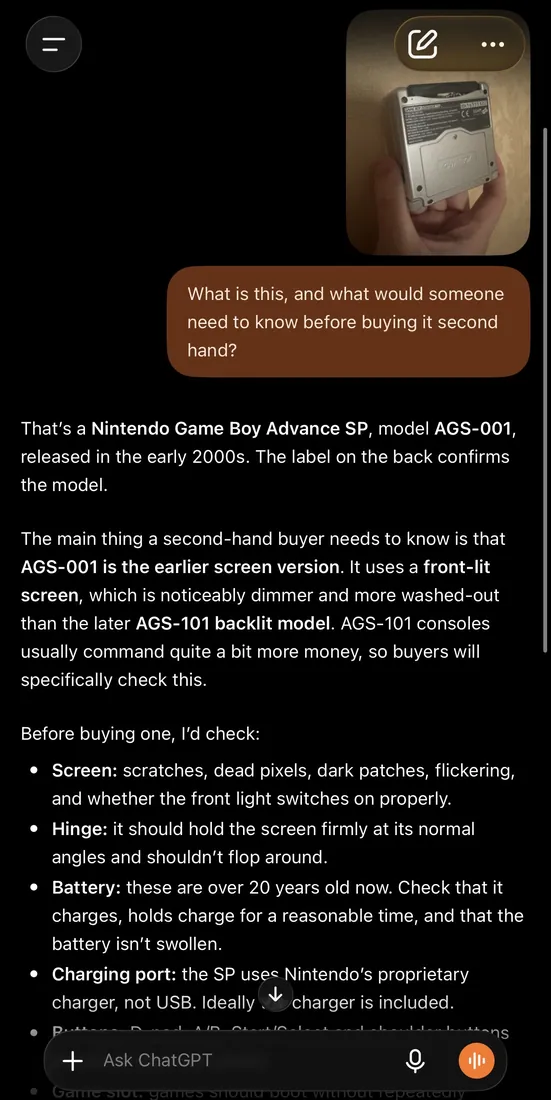
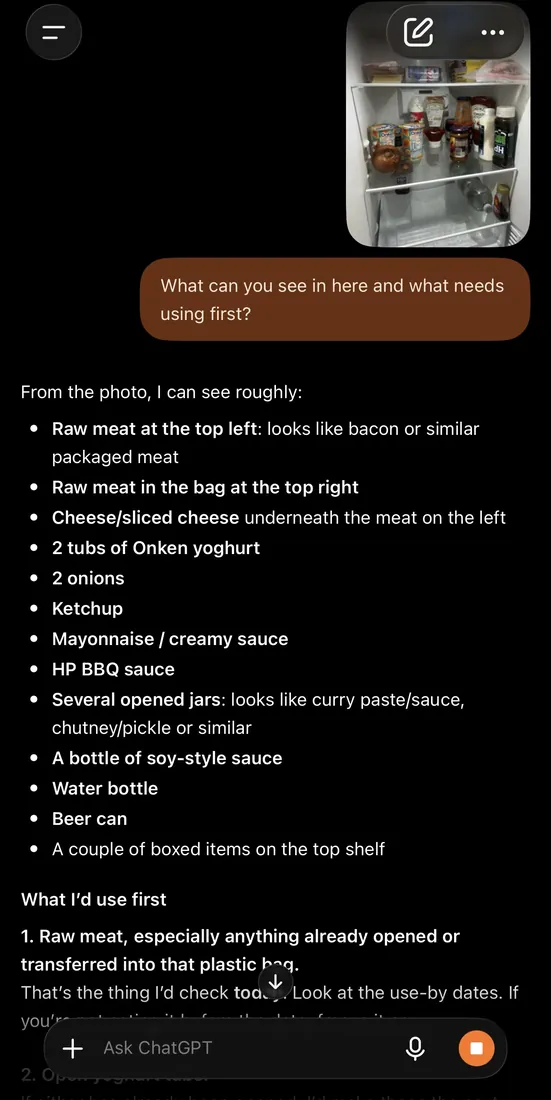
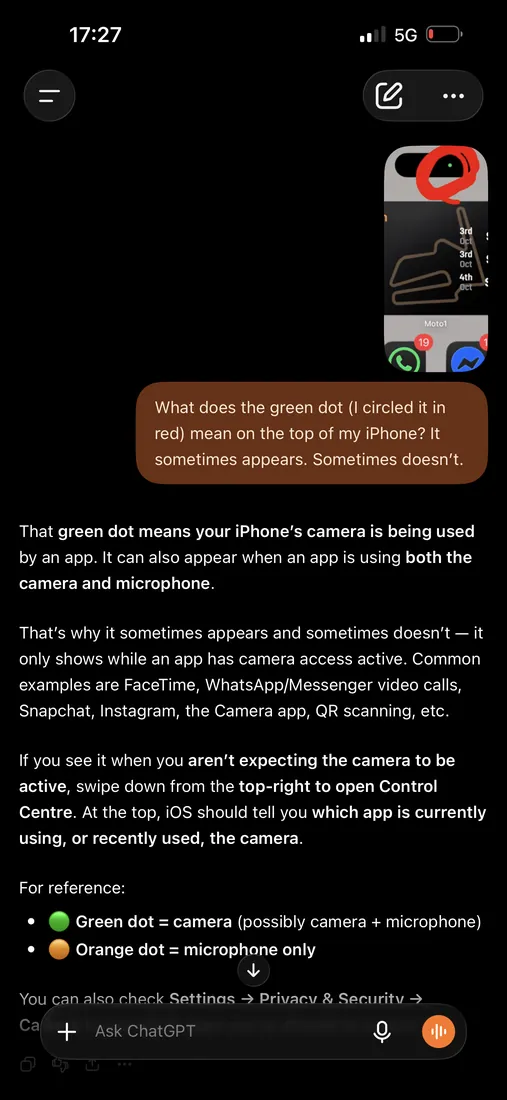
Real screens, on a real phone.
Part one alone carries forty-nine captured screenshots. These three are things you could do this evening, in the app you already have.
The one that changes everything
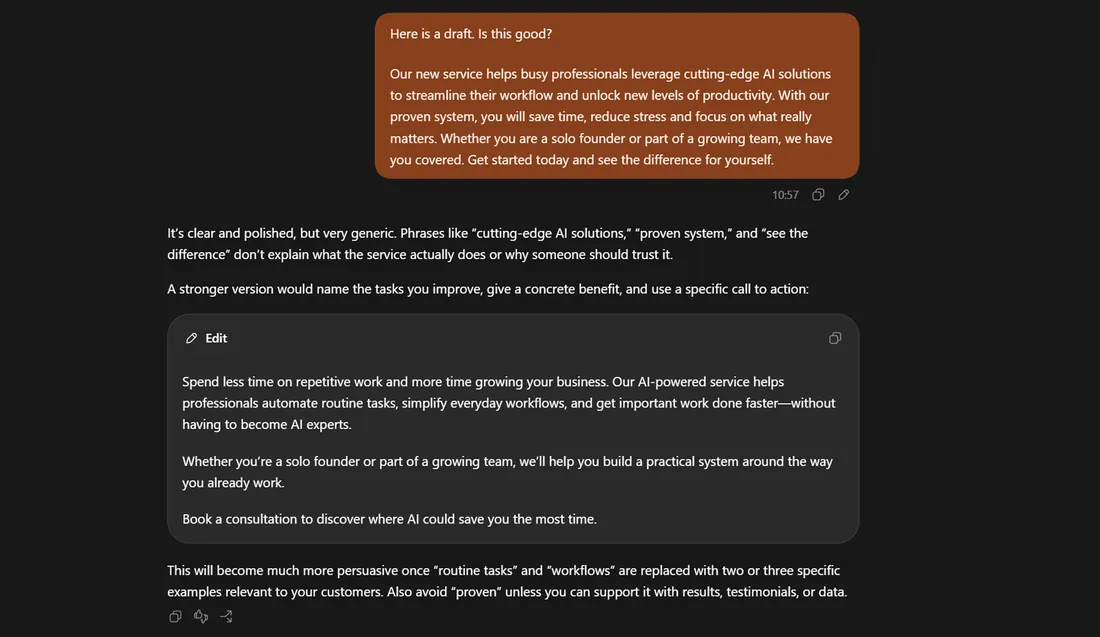
Ask it whether its own answer is any good.
Most people accept the first draft because they assume that is the answer. It is not. It is the first attempt, and the thing that wrote it will tell you exactly what is wrong with it if you ask properly.
The book
Ninety-eight chapters. The list is open now.
Nine sections, from your first ten minutes to building something you could sell. Part one is written and laid out. The rest is in build. Leave your email and you get told once, on the day it goes on sale, with a first-week price for the people who waited.
Planned price. One payment, no subscription.
One email when it launches. Nothing else, ever.
What you get
- The complete guide as a PDF you own outright
- Every future edition, free, forever
- The brief library, organised by job
- Templates and checklists as editable files
No income claims are made in this book or on this page. What is promised is a method, and the screenshots that show it working.